GPT-6 in ChatGPT: What’s New and How to Use It at Work (Plain-English Guide)
By the Airtics Education team. Last updated 10 October 2026.
In short: ChatGPT got a big update on 7 October 2026. With GPT-6, it can now answer with charts, maps, buttons and small calculators, not just paragraphs of text. Paid plans got it first and free users from 8 October. Below: what changed in plain words, five prompts you can try at work today, and the skills that help you use it well.
If you already use ChatGPT to draft emails or summarise documents, you will notice something new this month. Ask it for a plan, a comparison or a quick calculation, and the answer may come back as a chart you can read at a glance, a map, or a small tool with buttons you can click. This guide explains what changed, without the jargon, and shows you how to try it in your own job.
What changed, in plain words
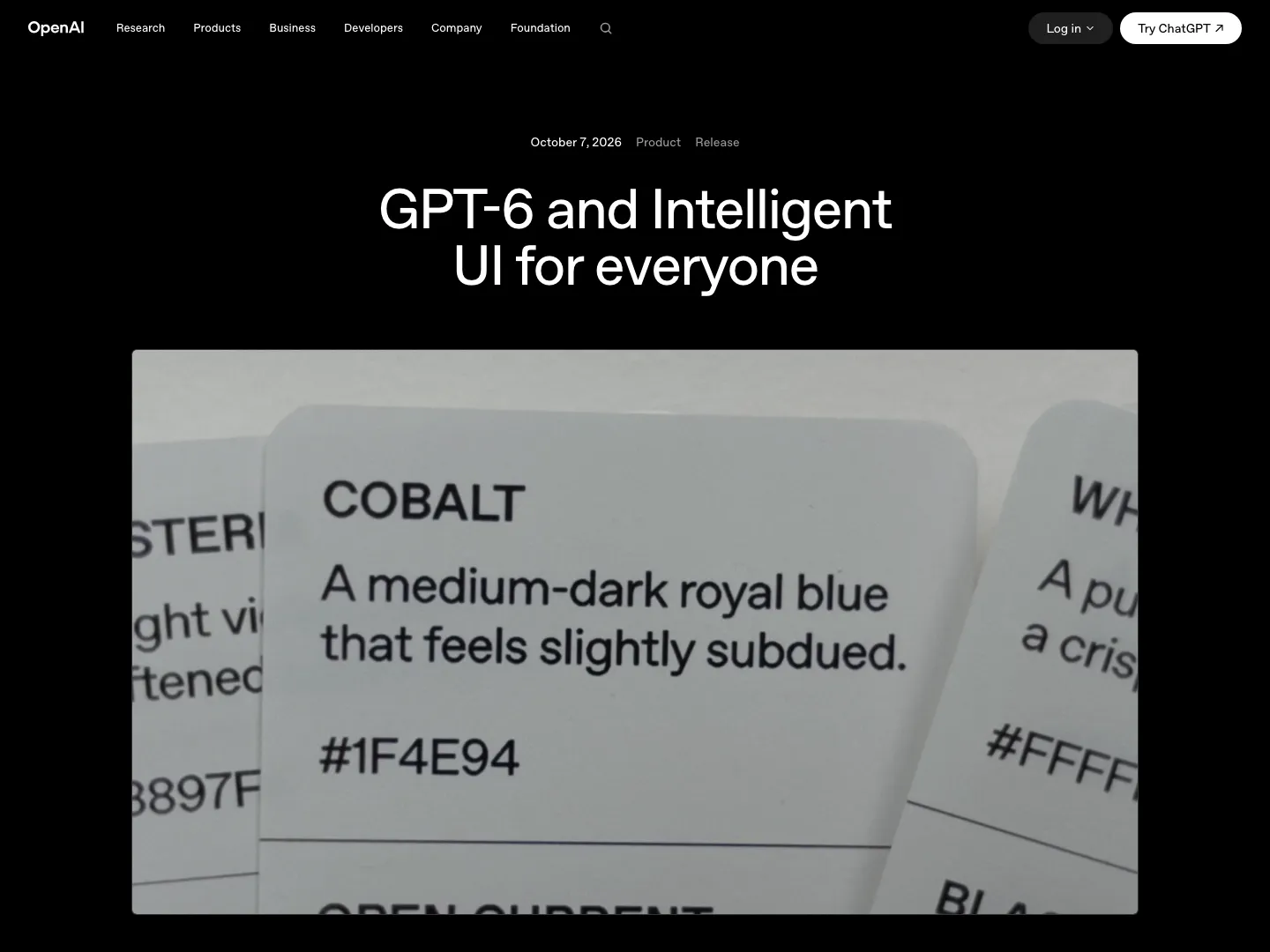
On 7 October 2026, OpenAI started rolling out GPT-6 in ChatGPT, together with a feature it calls Intelligent UI (OpenAI announcement). “UI” just means user interface: the things you see and click on a screen.
In practice, ChatGPT can now build its answer out of different pieces:
- Charts and tables when numbers are easier to understand visually.
- Maps when places matter, for example the stops on a trip.
- Buttons and forms you can click or fill in.
- Small tools built on request, such as a savings calculator or a bill splitter (both examples OpenAI gives).
When plain text is the clearest answer, it still writes plain text. You do not have to switch anything on: ChatGPT decides which format fits your question.
A simple way to think about it
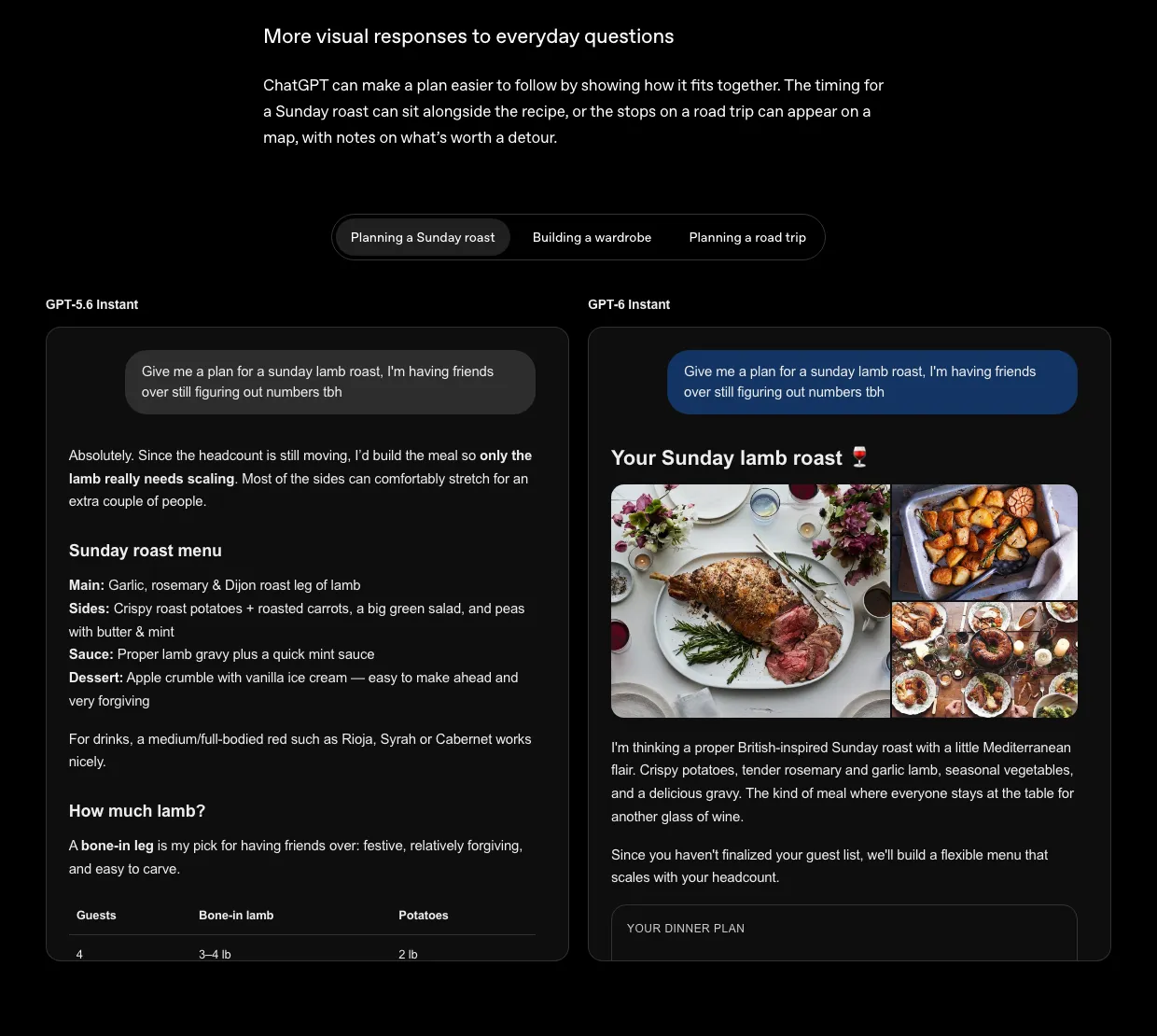
Imagine two colleagues. You ask both: “Can you plan the dinner for our team on Thursday?” The first sends you a long email. The second sends a one-page plan with a timeline, photos of the dishes and a box where you type the final headcount. Same information, but the second one is much quicker to use.
That is the difference OpenAI shows in its own example below: the older model answers a dinner-planning request in text, and GPT-6 answers with a visual plan.
It also feels faster. GPT-6 can start showing its answer while it is still working things out. OpenAI says that, in its own tests, answers to web-search questions start 44% sooner than before (ChatGPT release notes).
Who gets it
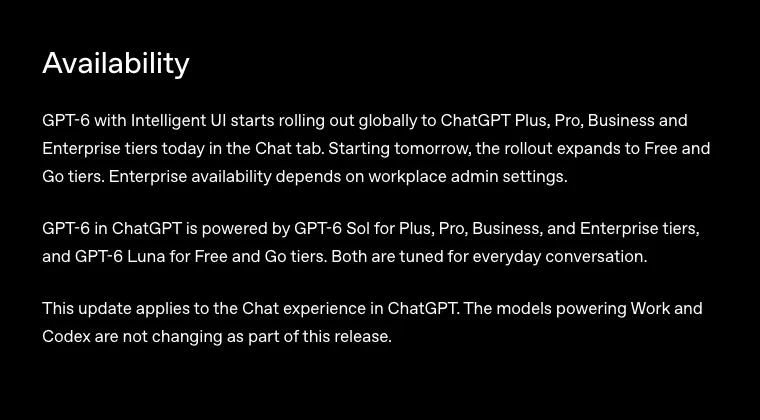
GPT-6 is a family of models with different names. You do not need to remember them, but here is what each ChatGPT plan gets, according to OpenAI:
| Your ChatGPT plan | What you get | From |
|---|---|---|
| Free or Go | GPT-6 Luna | 8 October 2026 (announced) |
| Plus, Pro, Business or Enterprise | GPT-6 Sol | 7 October 2026 |
| Company (Enterprise) account | Depends on your IT admin, who can switch it on or off | Varies |
If you have seen the name “GPT-6 Astra”, that was the first GPT-6 model, released on 3 September 2026 (OpenAI). In ChatGPT it now sits behind the Pro plan’s reasoning option.
Try it yourself in 10 minutes
- Go to chatgpt.com and sign in. A free account is enough.
- Stay in the normal Chat tab. That is where the update applies.
- Paste one of the prompts below, or adapt it to your own work.
- Look at what comes back. If there is a chart, tool or button, try it.
- Check the numbers yourself before you use the result anywhere.
Prompts to try, by role:
| If you work in… | Try asking |
|---|---|
| HR | “Make me a simple leave calculator: I type the yearly leave allowance and the days already taken, and it shows the days left.” |
| Sales | “Here are my five open deals and their stage. Show them on a chart so I can see where to focus this week.” (Then paste a short list, without client names.) |
| Finance | “Build a small tool that splits a team lunch bill between any number of people and adds 5% VAT.” |
| Operations | “Plan a two-day site visit from Dubai to Abu Dhabi and Al Ain, and show the stops on a map.” |
| Anyone | “Teach me the difference between an average and a median with an interactive example.” |
Tip: if you only get text back, ask a follow-up such as “Can you show that as a chart?” or “Turn this into a small calculator.” ChatGPT picks the format itself, so a nudge helps.
Three habits that keep you safe
- Check the numbers. A neat chart can still be built on a wrong figure. Recalculate anything that matters.
- Mind what you paste. Follow your company’s rules about client names, salaries and other private data.
- Keep the decision yours. Use the answer as a first draft for your thinking, not the final word.
The skills behind it, and where you can build them
Anyone can type a question into ChatGPT. What makes the difference at work is knowing whether the answer is right, and how to turn it into something your manager or client can rely on. These are skills you can learn, and they are exactly what Airtics programmes are built around, studied online alongside your job:
| The skill | Why it matters now | Where you build it |
|---|---|---|
| Reading data with confidence | So you can tell when a chart is misleading and redo a calculation yourself. | Mastering Python for Data Science (3 months, beginner level) or Postgraduate Certificate in Data Science and Artificial Intelligence (6 months, online) |
| Working with generative AI properly | So you know how tools like ChatGPT produce answers, where they go wrong and how to test them. | Master’s in Generative AI (12 months, online, awarded by UTAMED, Spain) |
| Turning data into reports and dashboards | So your charts are built on clean, trusted data. | Postgraduate Certificate in Business Intelligence (9 months, beginner to advanced) |
| Guiding AI use in a team | So you can decide where AI helps, what the rules are and how results get checked. | Master in AI in Business (12 months, awarded by UCAM, Spain) |
Not sure which level suits you? The Programme Finder gives you a shortlist in under a minute.
Useful links
- ChatGPT: try the prompts above.
- OpenAI’s GPT-6 announcement: the official details and more examples.
- AI agents at work, explained simply: what happens when AI starts doing tasks, not just answering.
- Laya and Jev: AI that decides: a different kind of AI that picks answers instead of writing them.
- What is agentic AI?: the idea behind AI that plans and acts.
- AI trends in 2026: the bigger picture for this year.
Frequently asked questions
Is GPT-6 free?
Yes, in a version. OpenAI says Free and Go users get GPT-6 in ChatGPT through the GPT-6 Luna model, with the rollout announced from 8 October 2026. Paid plans use GPT-6 Sol.
What is Intelligent UI in ChatGPT?
It is ChatGPT’s new ability to answer with charts, maps, buttons, forms and small tools instead of only text. ChatGPT chooses the format for you and still writes plain text when that is clearer.
Do I need to switch anything on to use it?
No. It works in the normal Chat tab. On a company account, your IT admin controls whether it is available.
What is the difference between GPT-6 Astra, Sol and Luna?
They are versions of GPT-6. In ChatGPT, Sol powers the paid plans, Luna powers Free and Go, and Astra sits behind the Pro plan’s reasoning option.
I am not technical. Can I still learn to use AI tools well at work?
Yes. The most useful skills are reading data with confidence, checking AI answers and knowing where AI fits in your work. Short programmes such as Mastering Python for Data Science start at beginner level, and you can study online alongside your job.
Sources
- OpenAI: GPT-6 and Intelligent UI for everyone (7 October 2026)
- OpenAI Help Center: ChatGPT release notes
- OpenAI Help Center: ChatGPT Enterprise and Edu release notes
- OpenAI: GPT-6 Astra (3 September 2026)
- OpenAI: Introducing GPT-6 Sol and Luna (22 September 2026)
How we made this guide
We researched this guide from the official announcements and documentation listed under Sources, and took the screenshots ourselves on 10 October 2026. It was drafted with the help of AI tools, then checked line by line against those sources. Career and course suggestions are based on what each Airtics programme page lists. Spotted something out of date? Tell us through the form below and we will correct it.
Learn these skills alongside your job
Most people who study with Airtics are working full time. Our programmes are online or blended, so you can build these skills around your work schedule. Not sure where to start? Try the free Programme Finder: four quick questions and you get a shortlist with the reason for each match. Or leave your details below and an Airtics advisor will talk you through the options, with no obligation.