Laya and Jev Explained Simply: The New AI That Makes Decisions Instead of Writing Text
By the Airtics Education team. Last updated 10 October 2026.
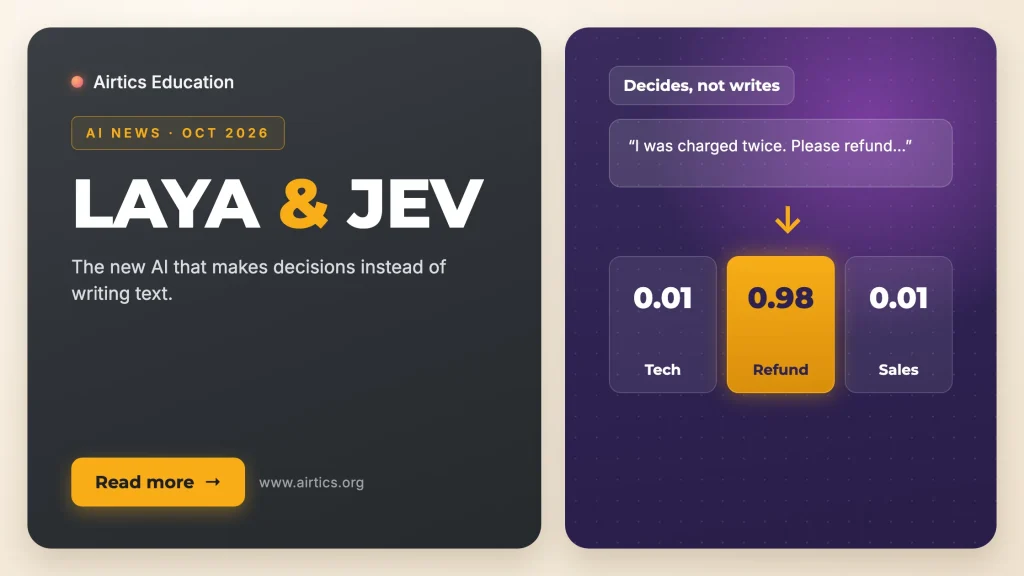
In short: Most AI tools you know write things: emails, summaries, answers. In September 2026 two new tools went the other way. Jev, from the US start-up TypeSafe AI, and Laya, an open-source project from Kerala, India, do not write at all. They read a message and pick an answer from options you set, with a score that says how sure they are. Think of a very fast sorting clerk. Here is how they work, how to try Laya in two minutes without signing up, and where this kind of AI is turning up at work.
Picture the mail room in a large company. Every letter that comes in has to go somewhere: billing, HR, the legal team, or the manager’s desk if it looks urgent. The clerk does not rewrite the letters. They read each one quickly and make a decision. Laya and Jev are AI tools built to do exactly that kind of job, at computer speed.
What happened
- Jev was launched in mid-September 2026 by TypeSafe AI, whose founder Diogo Almeida described it as the company’s first public “System One” model, available in early access (TypeSafe announcement). It is a closed product: companies use it through TypeSafe’s service.
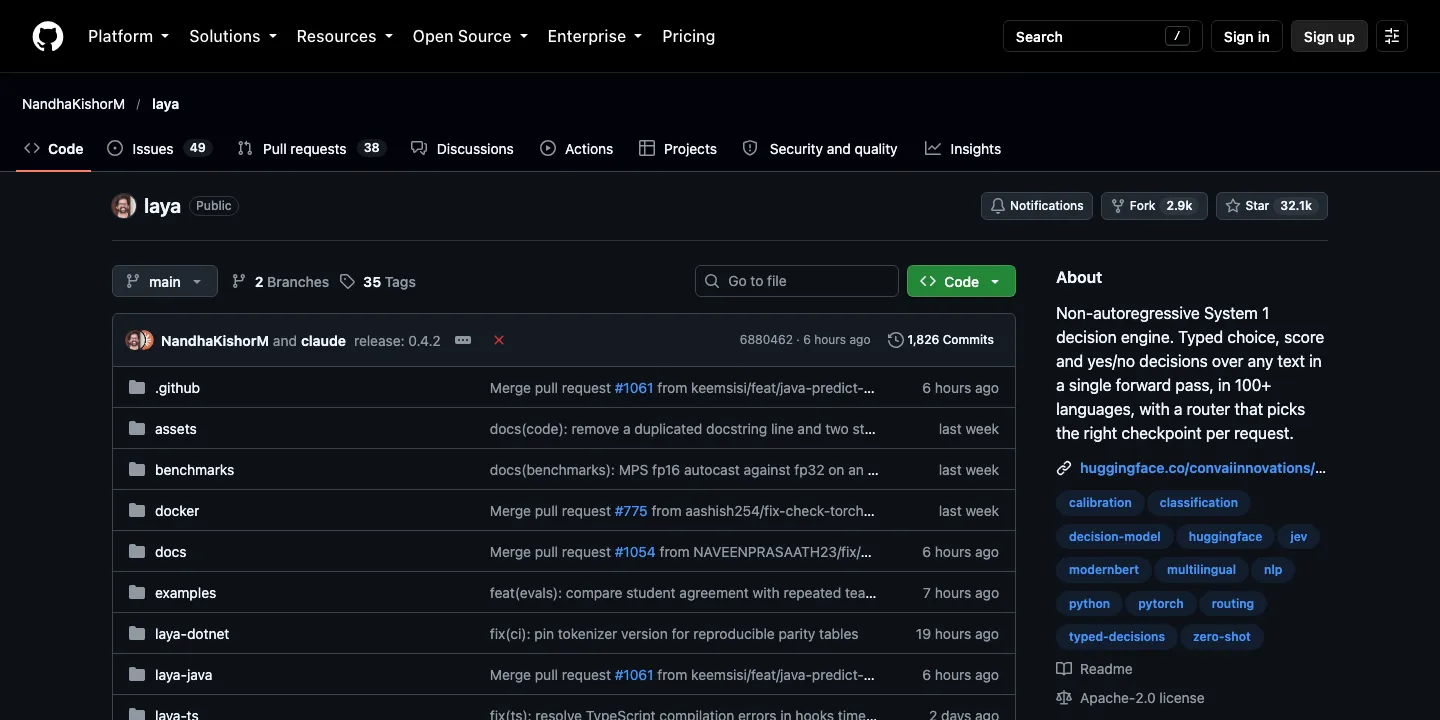
- Laya was released on 18 September 2026 by Nandakishor Mukkunnoth, founder of ConvAI Innovations in Kerala, India (Laya research page). It is open source under the Apache 2.0 terms, so anyone can download it from Hugging Face and run it on their own computers.
Explained simply: a sorter, not a writer
ChatGPT and similar tools are like a colleague who writes you a reply. Laya and Jev are like a colleague who reads the message and ticks a box. You give them some text, such as a customer email or a support ticket, plus a question and a set of possible answers. They choose one and tell you how confident they are.
Why “System One”? The name comes from the psychologist Daniel Kahneman’s book Thinking, Fast and Slow. “System 1” is our fast, instinctive way of judging things; “System 2” is slow, careful reasoning. These tools are built for the fast kind of judgement.
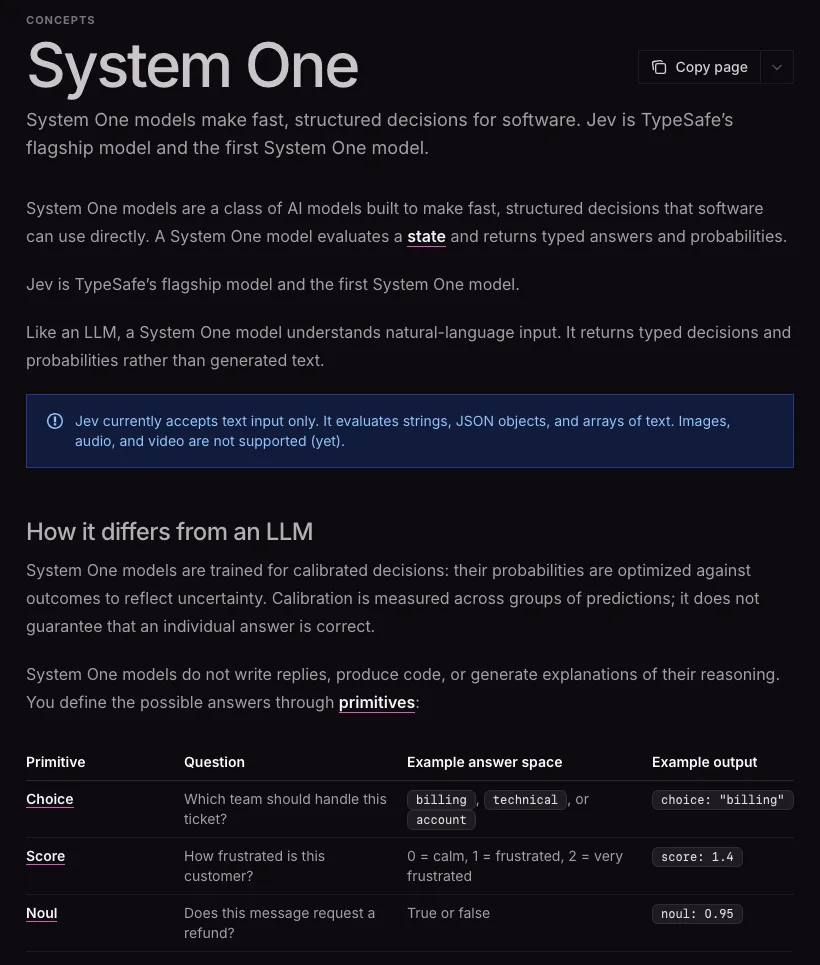
Both tools work with three kinds of question:
| Type of question | What it does | Example (from TypeSafe’s documentation) |
|---|---|---|
| Choice | Picks one option from a list you define | “Which team should handle this ticket?” billing, technical or account |
| Score | Places something on a scale | “How frustrated is this customer?” from 0 (calm) to 2 (very frustrated) |
| Yes or no (called “noul”) | Gives the probability that something is true | “Does this message request a refund?” |
The confidence score, and why it matters
Imagine two colleagues sorting the same email. One says, “I am 98% sure this is a refund request.” The other says, “Maybe refund, maybe a billing question, I am not sure.” You would treat those two answers very differently.
Laya and Jev give you that number with every answer. A company can then set a simple rule: if the tool is very sure, act automatically; if not, pass the case to a person. TypeSafe’s documentation is careful to add that a confidence score is not a promise that any single answer is right, which is why the rule and the human check matter.
Try Laya yourself in two minutes (no sign-up)
- Open the Laya demo on Hugging Face. It runs in your browser and needs no account.
- Choose the Support triage tab.
- Type a customer message, or use ours: “I was charged twice for invoice 4411 and nobody has answered for three days. Refund the duplicate today or we are cancelling our plan.”
- Click Ask and look at the answers table: the type of request, the confidence and the suggested route.
- Now try other tabs, such as Email + phishing or Moderation, with your own examples.
Here is what we got when we ran our example on 10 October 2026:
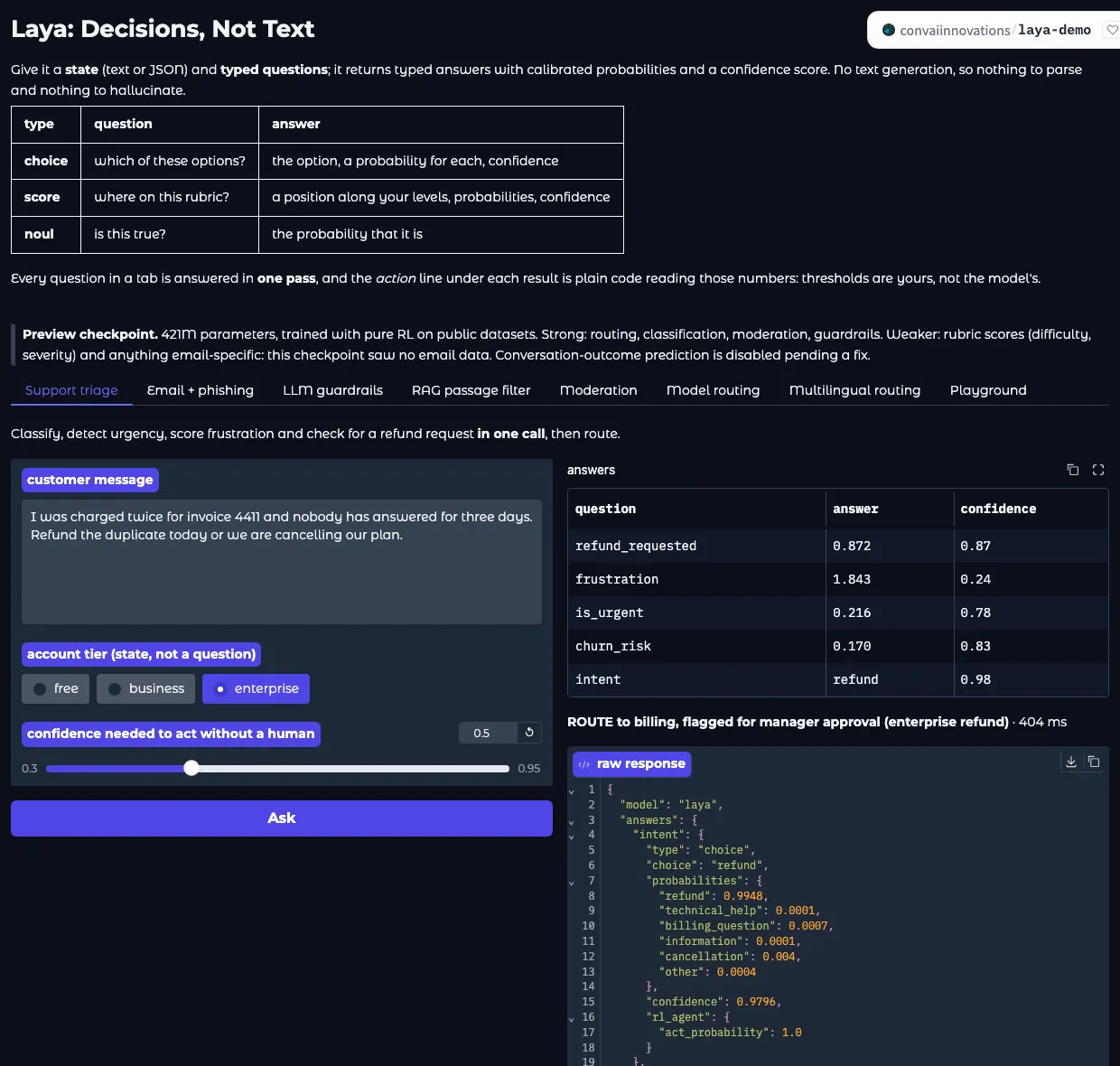
Laya was 98% confident the message was a refund request and suggested routing it to billing, flagged for a manager. But look closer: it rated the risk that this customer leaves at only 0.17 and the urgency at 0.22, even though the customer clearly threatens to cancel. That is a useful lesson. These tools are fast and helpful, and they still need people to set sensible rules and check the cases that matter.
Want to try Jev too? TypeSafe offers a Playground for account holders, and OpenRouter has a Jev Lab that needs an OpenRouter sign-in.
Laya and Jev side by side
| Jev | Laya | |
|---|---|---|
| Made by | TypeSafe AI (founder Diogo Almeida) | Nandakishor Mukkunnoth, ConvAI Innovations, Kerala |
| Released | Mid-September 2026 (early access) | 18 September 2026 |
| Open or closed? | Closed: used through TypeSafe’s service | Open source (Apache 2.0): download and run it yourself |
| Languages | English is its main language, according to TypeSafe | An English version and a multilingual version for 100+ languages, according to the author |
| Speed (maker’s own figures) | 70 to 500 milliseconds per decision | About 33 milliseconds on a single GPU |
| Try it | Playground (account) or OpenRouter (sign-in) | Free demo on Hugging Face, no sign-in |
Both makers are open about the limits. TypeSafe lists things Jev is not good at, such as counting or doing arithmetic. Laya’s author says his model needs to be adjusted on a company’s own examples before it is reliable, gets less accurate with very long lists of options, and does not handle every language equally well. There is also no independent head-to-head test of the two yet, so all speed and accuracy numbers come from the makers themselves.
You may also read about a debate between them. Laya’s author says his research papers from 2025 explored this kind of decision model before Jev was announced. That is his claim; we did not find a public response from TypeSafe.
Where this kind of AI shows up at work
| Team | A typical decision | Where people stay involved |
|---|---|---|
| Customer service | Send each ticket to the right team; spot refund requests and angry customers | Handling the unclear and sensitive cases |
| Sales | Score new leads by how ready they seem to buy | Deciding who to call and what to offer |
| IT and security | Flag emails that look like phishing | Checking the flagged emails before action |
| HR | Check CVs against job criteria (an example TypeSafe lists) | Making sure the criteria are fair and reviewing every decision about a person |
| Operations | Mark which messages are urgent | Setting what “urgent” means and handling escalations |
Notice that in every row, the AI makes the quick first call and people own the rules and the important decisions. If your company starts using a tool like this, the people who understand how it works, and where it can go wrong, will be the ones asked to set it up and keep it fair.
The skills behind it, and where you can build them
You do not need to write code to work with decision AI, but a few skills make a real difference: understanding what a probability means, knowing how language AI reads text, and designing processes where people and AI share the work. Airtics programmes cover these, studied online or blended alongside your job:
| If you want to… | Look at |
|---|---|
| Understand probabilities, data and confidence from scratch | Mastering Python for Data Science (3 months, beginner level) or Postgraduate Certificate in Data Science and Artificial Intelligence (6 months, online) |
| Learn how AI reads and understands text | Postgraduate Certificate in Natural Language Processing |
| Build and test AI systems like these | Postgraduate Certificate in Artificial Intelligence and Machine Learning (6 months, online) or Master in AI & Machine Learning (awarded by UCAM, Spain) |
| Bring AI into business processes responsibly | Master in AI in Business (for managers, awarded by UCAM, Spain) |
| Use AI in sales and marketing | Master’s in Sales Leadership & Marketing or Master’s in Strategic Marketing in AI (both awarded by ESIC, Spain) |
The Programme Finder can suggest a starting point in under a minute.
Useful links
- Laya demo: try it in your browser, no sign-up.
- TypeSafe’s guide to System One models: clear examples of the three question types.
- TypeSafe’s use case map: where decision AI is being used.
- AI agents at work, explained simply: how decision tools fit into bigger AI agents.
- GPT-6 in ChatGPT: a plain-English guide: the opposite approach, AI that answers with charts and tools.
- Mistral Large 4 explained simply: another open model, and why open models matter to companies.
Frequently asked questions
What is Jev AI?
Jev is an AI model from TypeSafe AI, launched in mid-September 2026. Instead of writing text, it reads a message and returns a decision, such as which team should handle a ticket, with a probability for each answer.
What is Laya?
Laya is an open-source decision model released on 18 September 2026 by Nandakishor Mukkunnoth of ConvAI Innovations in Kerala, India. Like Jev, it picks answers instead of writing text, and anyone can download it.
Is Jev a large language model like ChatGPT?
Not in the usual sense. TypeSafe says Jev understands natural language like an LLM, but it returns decisions and probabilities instead of generating text. TypeSafe calls this a “System One” model.
What is the difference between Laya and Jev?
They do the same kind of job. Jev is a closed product used through TypeSafe’s service. Laya is open source, so companies can run it on their own computers, and its author offers a multilingual version.
Can I try Laya or Jev without coding?
Yes. Laya has a free demo on Hugging Face that needs no sign-in. Jev can be tried in TypeSafe’s Playground with an account, or in OpenRouter’s Jev Lab after signing in.
What is a System One model?
It is an AI model built for fast, structured judgements, named after the “System 1” thinking described by Daniel Kahneman: quick and instinctive, rather than slow and deliberate.
Sources
- TypeSafe AI: Introducing System One models and Jev
- TypeSafe AI Docs: System One
- TypeSafe AI Docs: Use case map
- TypeSafe AI Docs: Models
- OpenRouter: Jev by TypeSafe
- ConvAI Innovations: Laya research page
- GitHub: NandhaKishorM/laya
- Hugging Face: convaiinnovations/laya
- Hugging Face: Laya demo
How we made this guide
We researched this guide from the official announcements and documentation listed under Sources, and took the screenshots ourselves on 10 October 2026. It was drafted with the help of AI tools, then checked line by line against those sources. Career and course suggestions are based on what each Airtics programme page lists. We ran the Laya demo ourselves for the example shown above. Spotted something out of date? Tell us through the form below and we will correct it.
Learn these skills alongside your job
Most people who study with Airtics are working full time. Our programmes are online or blended, so you can build these skills around your work schedule. Not sure where to start? Try the free Programme Finder: four quick questions and you get a shortlist with the reason for each match. Or leave your details below and an Airtics advisor will talk you through the options, with no obligation.